

/scrobble/pause) or stops before 80% progress (/scrobble/stop with progress < 80), Simkl persists the position so the user can resume from any signed-in device. Playbacks are how Simkl powers “Continue Watching” UIs.
This page is a reference index. The lifecycle, cross-device flow, and full scrobble integration live in the Scrobble guide.
Members can browse and clean up their saved playbacks at simkl.com/my/history/playback-progress-manager/.
What gets stored
Only one paused playback per show / movie / anime is kept. A new pause replaces the previous one for that title.
Already-watched items can appear in the list
A paused playback is returned even when the user has already finished that title, as long as the pause happened after they finished it. That is a re-viewing in progress, not stale data, sohide_watched=true (the default) deliberately leaves it in.
Practical consequence for a Continue Watching row: it can contain a movie or episode the user has completed before. If your UI also draws a “watched” checkmark, expect both to be true at once. Show the resume position anyway — the user really is watching it again.
hide_watched=true only removes playbacks that were overtaken: paused first, then marked watched from somewhere else. Those are genuine leftovers, and hiding them is the point of the flag.
This changed in August 2026. Previously a completed movie, or the exact episode the watchlist last pointed at, was hidden regardless of when it was watched — so re-viewings never appeared. If your app worked around the old behaviour by re-adding finished titles to its own Continue Watching list, drop that workaround.One edge case is unchanged: for items whose watch date is the “watched, date unknown” placeholder there is no date to compare against, so
hide_watched=true still hides completed movies and the last-pointed-at episode.Retention by plan
Saved playbacks are pruned automatically by a daily cleanup job:
After the retention window, the playback is deleted unconditionally and can no longer be resumed.
Cross-device resume — the recipe
Device A pauses, Device B picks it up:1
Device A pauses
POST /scrobble/pause with the user’s access_token and current progress. Simkl saves the position.2
Device B gates the refetch on activities
POST /sync/activities returns a playback timestamp per media-type bucket. Compare it to the value you saved on the previous sync — if it hasn’t moved, no new pause has happened and you can skip the next step.3
Device B asks for any saved playbacks
Only when the
playback timestamp moved: GET /sync/playback (or narrow with /sync/playback/episodes / /sync/playback/movies) returns the paused playbacks for this user. Save the new timestamp.4
Device B resumes
POST /scrobble/start with the same item and the saved progress. The session continues; the prior pause is automatically cleared.access_token — the playback is stored per-user, not per-device.
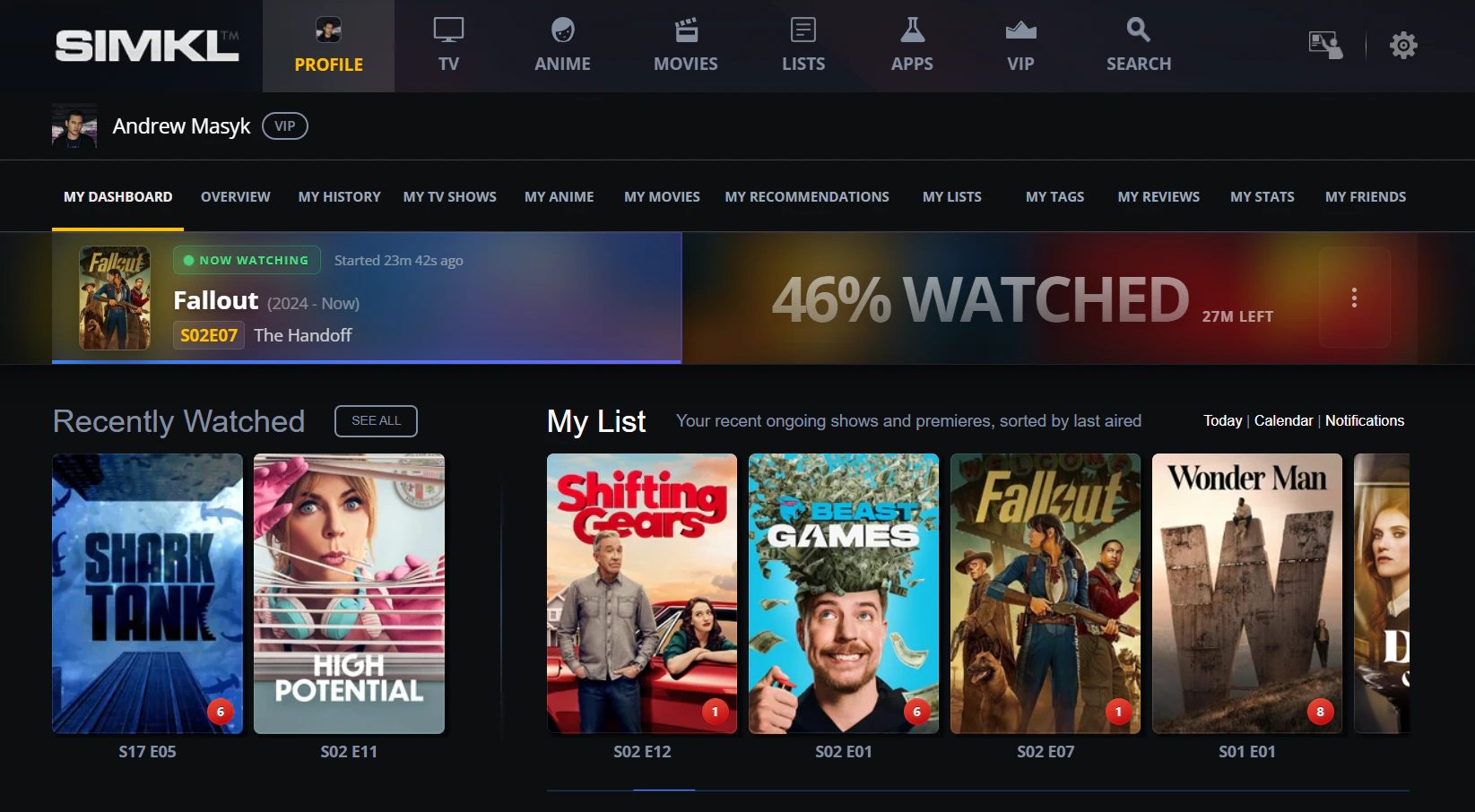
After Device B resumes, the title shows back in the "Now Watching" banner on the user dashboard — picking up at the saved progress.
Endpoints
Get playbacks
GET /sync/playback — list saved paused playbacks for a user (or narrow with /sync/playback/:type where :type is episodes or movies). Filter by date_from, date_to, hide_watched, limit.Delete playback
DELETE /sync/playback/:id — remove a saved playback by its ID.Item shape
Each playback in the response includes:id— 64-bit integer playback ID (use this with the DELETE endpoint)progress— percentage 0-100 (e.g.42,75.5)paused_at— ISO-8601 UTC timestamptype—"episode"or"movie"- For episodes:
episode.{season, number, title}plustvdb_season/tvdb_numberfor anime - The container object:
show(TV episodes),anime(anime episodes), ormovie. Each carriestitle,year, andids.
Related
Add to history
POST /sync/history — the canonical “mark as watched” endpoint. Use this (not playback) when you want a title on the user’s watched library.Mark as watched guide
Pick the right write endpoint when you don’t need real-time playback tracking.
Scrobble guide
The full scrobble lifecycle, including how pause/stop create playbacks.
How scrobbling works
API reference index for the four scrobble endpoints.
Activities
POST /sync/activities — the “is anything new?” gate. Check the playback timestamp before refetching.Sync guide
The activities-driven refresh strategy applied across all user data.