> ## Documentation Index
> Fetch the complete documentation index at: https://api.simkl.org/llms.txt
> Use this file to discover all available pages before exploring further.
# How playbacks work
> Saved pause points across devices. When users pause or stop watching before 80%, Simkl saves their position so any signed-in device can resume.
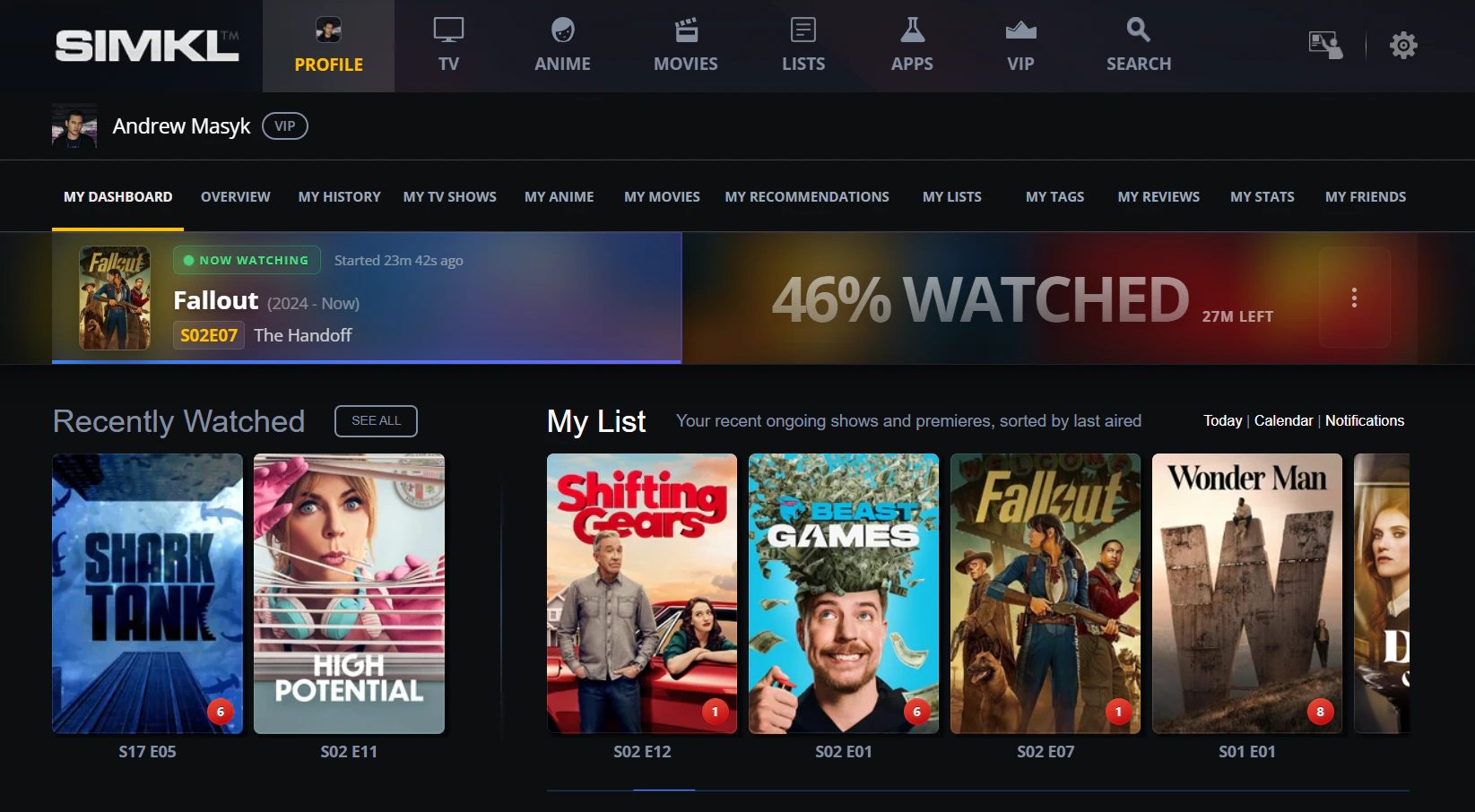
A **playback** is a saved pause point. When a user pauses watching (`/scrobble/pause`) or stops before 80% progress (`/scrobble/stop` with `progress < 80`), Simkl persists the position so the user can resume from any signed-in device. Playbacks are how Simkl powers "Continue Watching" UIs.
This page is a reference index. The lifecycle, cross-device flow, and full scrobble integration live in the [Scrobble guide](/guides/scrobble).
**Playbacks are NOT the user's watch history.** A playback is a temporary "where I left off" record. It does **not** put the title on the user's watched list, does **not** count toward completion stats, and disappears once the user finishes the item, deletes it, or the [retention window](#retention-by-plan) expires.
To actually mark an item as **watched**, use one of:
* [`POST /sync/history`](/api-reference/simkl/add-to-history) — adds the item to the watched library directly. No scrobble session required.
* [`POST /scrobble/stop`](/api-reference/simkl/scrobble-stop) with `progress ≥ 80` — finishes a live scrobble session and writes a watch-history entry in the same call.
* [`POST /scrobble/checkin`](/api-reference/simkl/scrobble-checkin) — fire-and-forget; Simkl auto-marks the item watched once the runtime elapses.
If you only need a "Mark as watched" button (no playback tracking), [`POST /sync/history`](/api-reference/simkl/add-to-history) is the simplest path — see the [Mark as watched guide](/guides/mark-as-watched).
Members can browse and clean up their saved playbacks at [simkl.com/my/history/playback-progress-manager/](https://simkl.com/my/history/playback-progress-manager/).
## What gets stored
| Trigger | Result |
| ------------------------------------------ | --------------------------------------------------------------------------------------------------------------------------------------- |
| `POST /scrobble/pause` (any progress) | Saves a paused playback at the sent `progress`. |
| `POST /scrobble/stop` with `progress < 80` | Saves a paused playback at the sent `progress` (resumable). |
| `POST /scrobble/stop` with `progress ≥ 80` | **No playback saved** — item is written to watch history instead (same as [`POST /sync/history`](/api-reference/simkl/add-to-history)). |
| `POST /scrobble/checkin` | No playback saved (the runtime-extrapolated session lives elsewhere). |
Only one paused playback per show / movie / anime is kept. A new pause replaces the previous one for that title.
## Retention by plan
Saved playbacks are pruned automatically by a daily cleanup job:
| Plan | Retention |
| ---- | --------- |
| Free | 7 days |
| PRO | 30 days |
| VIP | 90 days |
After the retention window, the playback is deleted unconditionally and can no longer be resumed.
## Cross-device resume — the recipe
Device A pauses, Device B picks it up:
`POST /scrobble/pause` with the user's `access_token` and current `progress`. Simkl saves the position.
[`POST /sync/activities`](/api-reference/simkl/get-activities) returns a `playback` timestamp per media-type bucket. **Compare it to the value you saved on the previous sync** — if it hasn't moved, no new pause has happened and you can skip the next step.
```json theme={"theme":{"light":"github-light","dark":"vesper"}}
{
"all": "2026-04-19T12:14:08Z",
"movies": { "playback": "2026-04-19T12:14:08Z", ... },
"tv_shows": { "playback": "2026-04-15T08:31:55Z", ... },
"anime": { "playback": "2026-04-12T19:02:11Z", ... }
}
```
Only when the `playback` timestamp moved: `GET /sync/playback` (or narrow with `/sync/playback/episodes` / `/sync/playback/movies`) returns the paused playbacks for this user. Save the new timestamp.
`POST /scrobble/start` with the same item and the saved `progress`. The session continues; the prior pause is automatically cleared.
**Don't poll [`/sync/playback`](/api-reference/simkl/get-playback-sessions) on a timer.** Always gate refetches on the `playback` timestamp from [`/sync/activities`](/api-reference/simkl/get-activities) — that endpoint is the cheap "is anything new?" check. Idle accounts won't trip the gate, so quota stays free for active users. The same pattern applies to every Sync surface (history, watchlist, ratings); see the [Sync guide](/guides/sync) for the full strategy.
Both devices use the same `access_token` — the playback is stored per-user, not per-device.
 ## Endpoints
`GET /sync/playback` — list saved paused playbacks for a user (or narrow with `/sync/playback/:type` where `:type` is `episodes` or `movies`). Filter by `date_from`, `date_to`, `hide_watched`, `limit`.
`DELETE /sync/playback/:id` — remove a saved playback by its ID.
## Item shape
Each playback in the response includes:
* `id` — 64-bit integer playback ID (use this with the DELETE endpoint)
* `progress` — percentage 0-100 (e.g. `42`, `75.5`)
* `paused_at` — ISO-8601 UTC timestamp
* `type` — `"episode"` or `"movie"`
* For episodes: `episode.{season, number, title}` plus `tvdb_season` / `tvdb_number` for anime
* The container object: `show` (TV episodes), `anime` (anime episodes), or `movie`. Each carries `title`, `year`, and `ids`.
## Related
`POST /sync/history` — the canonical "mark as watched" endpoint. Use this (not playback) when you want a title on the user's watched library.
Pick the right write endpoint when you don't need real-time playback tracking.
The full scrobble lifecycle, including how pause/stop create playbacks.
API reference index for the four scrobble endpoints.
`POST /sync/activities` — the "is anything new?" gate. Check the `playback` timestamp before refetching.
The activities-driven refresh strategy applied across all user data.
## Endpoints
`GET /sync/playback` — list saved paused playbacks for a user (or narrow with `/sync/playback/:type` where `:type` is `episodes` or `movies`). Filter by `date_from`, `date_to`, `hide_watched`, `limit`.
`DELETE /sync/playback/:id` — remove a saved playback by its ID.
## Item shape
Each playback in the response includes:
* `id` — 64-bit integer playback ID (use this with the DELETE endpoint)
* `progress` — percentage 0-100 (e.g. `42`, `75.5`)
* `paused_at` — ISO-8601 UTC timestamp
* `type` — `"episode"` or `"movie"`
* For episodes: `episode.{season, number, title}` plus `tvdb_season` / `tvdb_number` for anime
* The container object: `show` (TV episodes), `anime` (anime episodes), or `movie`. Each carries `title`, `year`, and `ids`.
## Related
`POST /sync/history` — the canonical "mark as watched" endpoint. Use this (not playback) when you want a title on the user's watched library.
Pick the right write endpoint when you don't need real-time playback tracking.
The full scrobble lifecycle, including how pause/stop create playbacks.
API reference index for the four scrobble endpoints.
`POST /sync/activities` — the "is anything new?" gate. Check the `playback` timestamp before refetching.
The activities-driven refresh strategy applied across all user data.